RxShift
See how RxShift works

Build better schedules in minutes

RxShift gives pharmacies, restaurants, retail stores and other shift-based businesses one simple place to plan, manage and share employee schedules.

Create and adjust schedules without friction

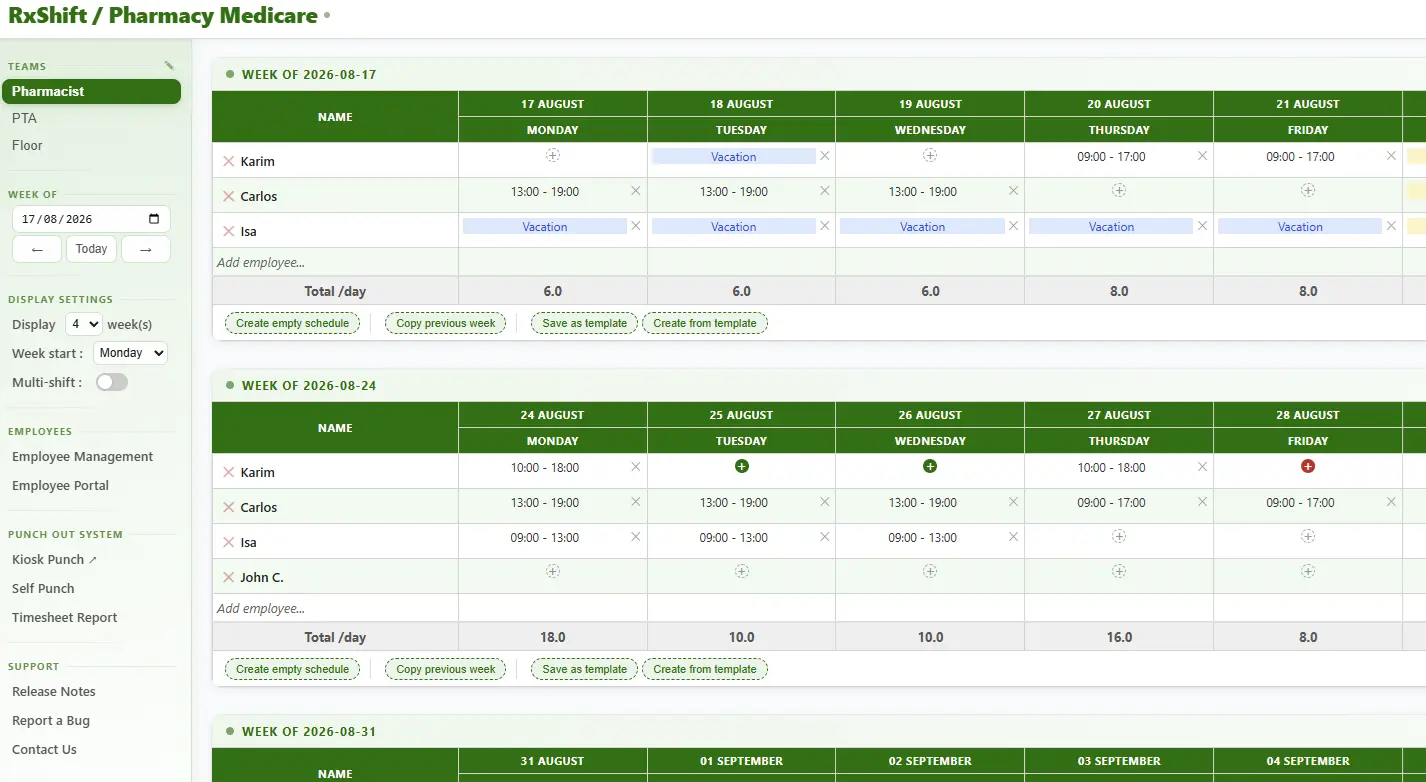
Building a schedule should not feel like administrative work. RxShift makes common scheduling actions quick and visual.

Insert a shift directly into an employee's cell, then copy, paste, move or drag and drop it into another day. This is ideal for repeating patterns, last-minute changes and covering unexpected absences.

Insert a shift

Add start and end times directly where the employee is scheduled.

📋

Copy and paste

Reuse an existing shift instead of entering the same hours again.

↔️

Drag and drop

Move a shift to another employee or day with a simple gesture.

⏮️

Copy previous week

Start from last week's schedule and adjust only what changed.

🧩

Use templates

Create or insert a template schedule for recurring business patterns.

🟢

See availabilities

Employee availability information appears directly in the schedule.

Example: A restaurant manager can copy last Friday's kitchen schedule, drag a server's shift to Saturday and immediately see whether the employee is available before publishing the final version.

Keep employee information organized

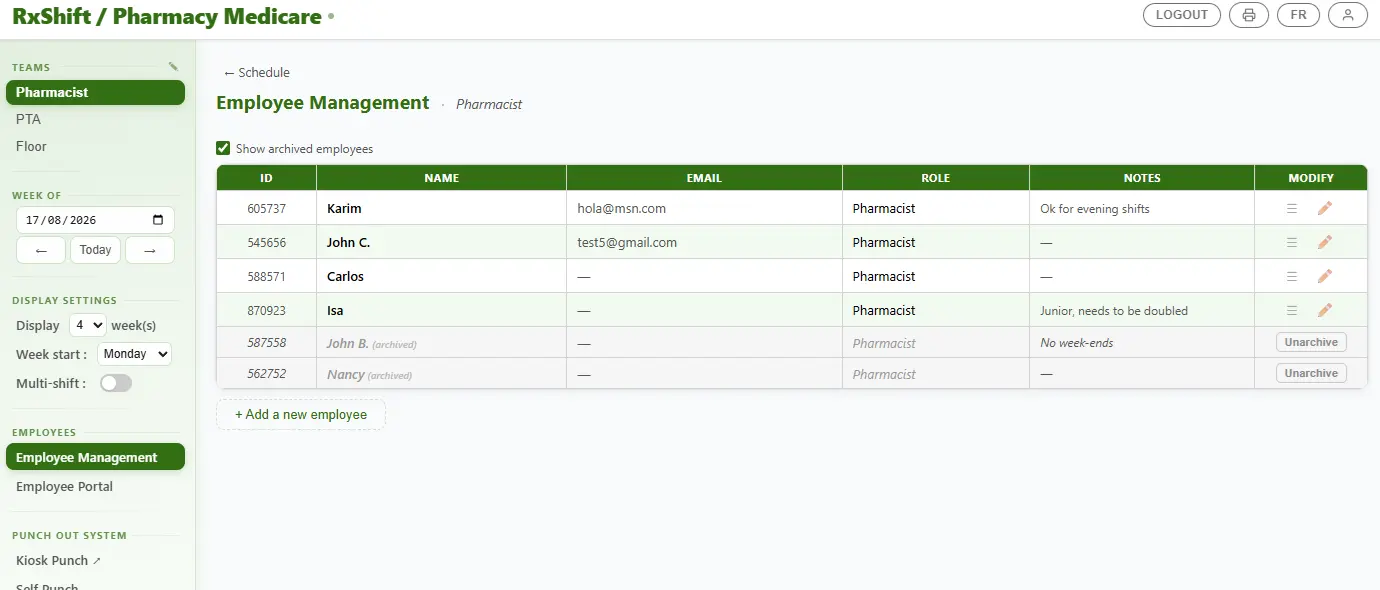
Add and manage your team from one dedicated employee section, without mixing employee administration into the scheduling grid.

One clear list for every location

Employees can be added, modified, archived or restored as your business changes. Each of your three locations or teams has its own dedicated employee list, helping managers keep the right people connected to the right schedule.

  • Add pharmacists, technicians, servers, cooks, cashiers or retail associates.
  • Modify employee information when responsibilities or details change.
  • Archive inactive employees without losing historical records.
  • Restore archived employees when they return to the team.
  • Manage each location independently with the same simple workflow.
Example: A retail owner can manage employees for three stores separately, while each store manager sees only the people assigned to that location.
RxShift scheduling app screenshot

Give employees the information they need

The Employee Portal reduces messages, confusion and administrative work by giving employees secure access to their own information.

Employees stay informed and involved

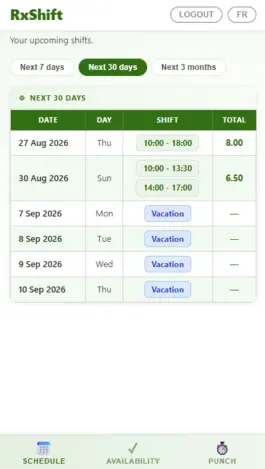
Employees can log in from their phone, tablet or computer to view their schedule and communicate their availability. Managers remain in control while employees get a convenient self-service experience.

  • View upcoming shifts from anywhere.
  • Submit availability for future weeks.
  • Check scheduled hours without asking the manager.
  • Use Punch In and Punch Out when the feature is enabled.
  • Reduce last-minute texts and repeated scheduling questions.
Example: A pharmacy technician can submit availability from home, check next week's shifts on a phone and punch in when arriving for work.
RxShift scheduling app screenshot

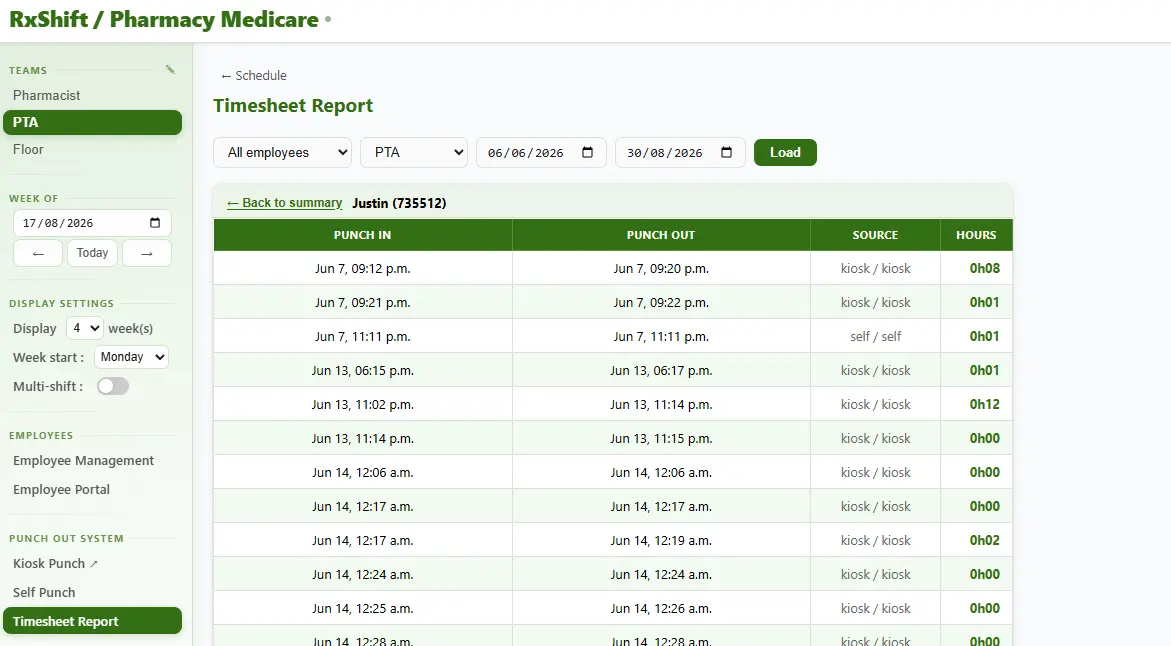
Track time with a simple Punch Out System

Add practical time tracking to your scheduling workflow and keep attendance information in one place.

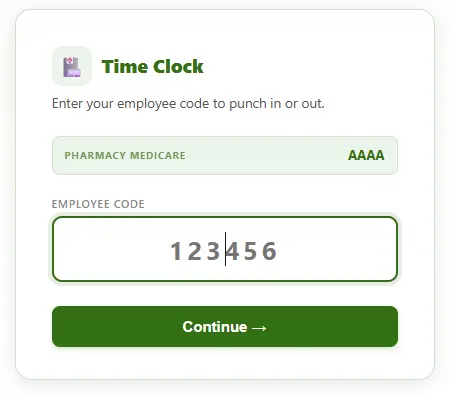
Employees can punch in and out using a shared kiosk at the workplace or directly from the Employee Portal on their own device. This gives pharmacies, restaurants and retail businesses a flexible way to record working time.

🖥️

Kiosk access

Use a shared tablet or computer at the workplace for quick punches.

📱

Employee Portal

Allow employees to punch in and out from their own device.

📊

Timesheet reports

Generate reports showing recorded punches and total working time.

Example: A restaurant can place a tablet near the staff entrance for kiosk punches, while a retail employee working at a remote location can use the Employee Portal instead.

Ready to simplify your scheduling?

Start building clear, professional schedules for your team today.

Create your free account